More frames from the PC you already own.
Stutter usually comes from a handful of wrong settings, not old hardware. This free 9-page guide walks through the Windows, driver and in-game settings that cost you FPS. You change each one yourself, and you can undo any of them.
- PDF, 9 pages
- 8 games covered
- Nothing to install
- Updated November 2026
What's in the guide
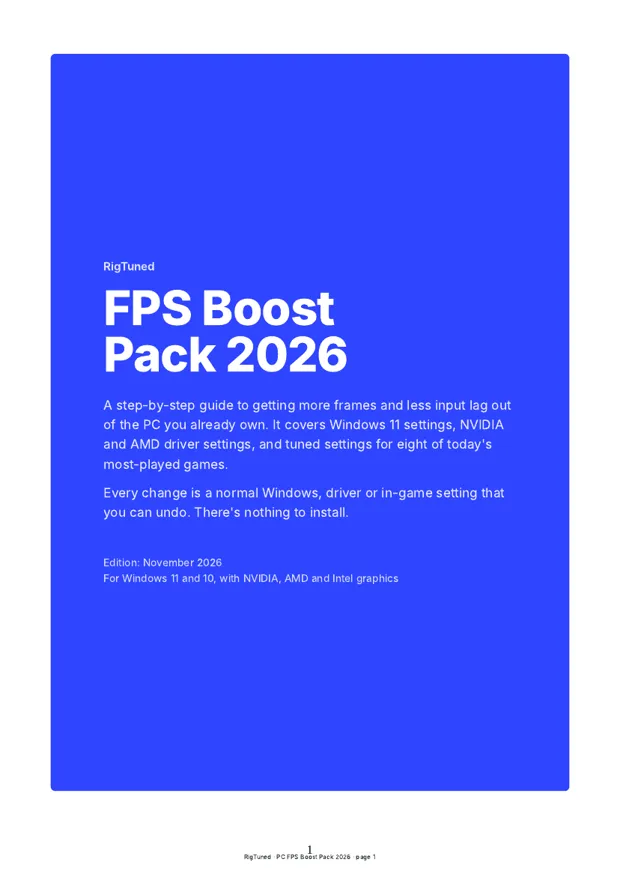
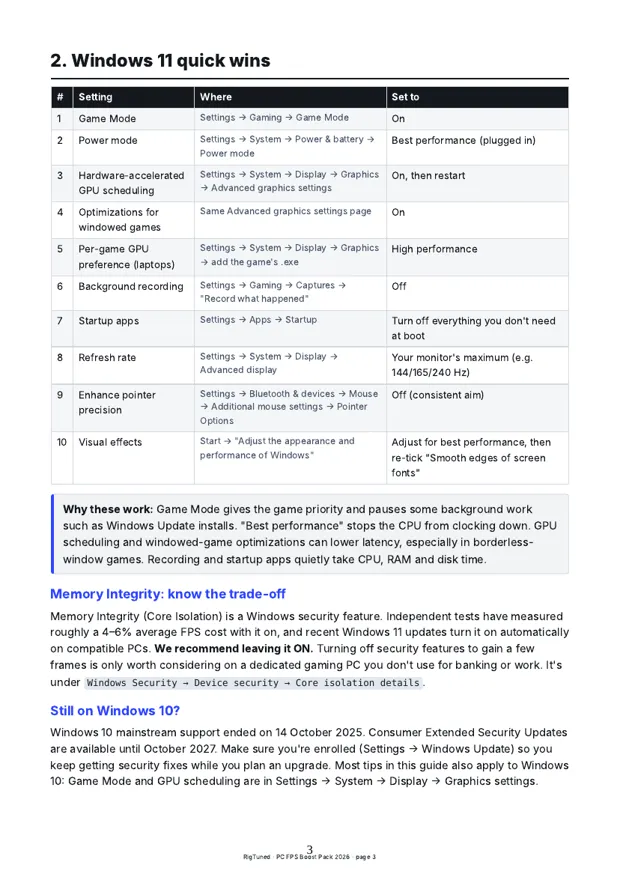
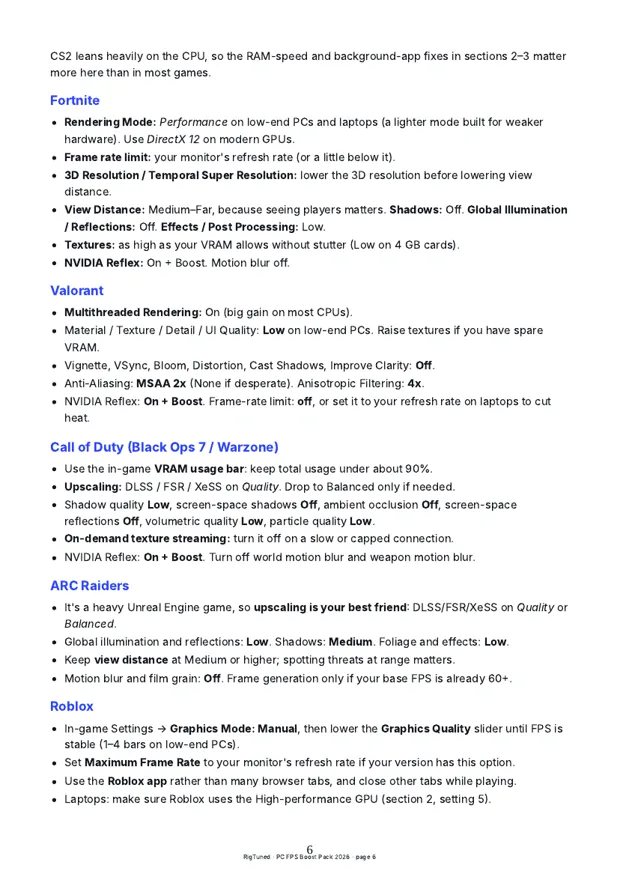
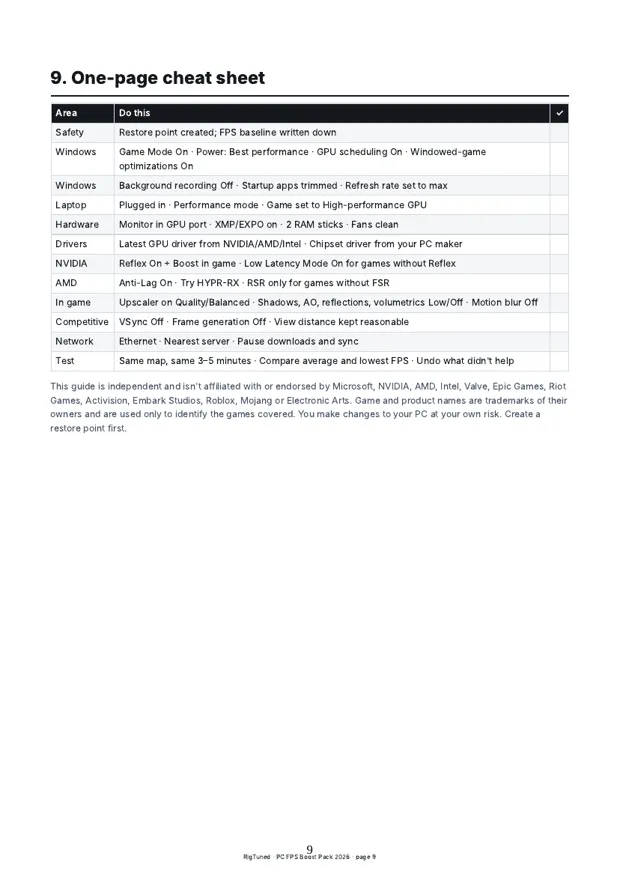
These are real pages from the PDF. Settings are written for Windows 11, with notes for Windows 10 and for laptops.
Game settings included for
- Counter-Strike 2
- Fortnite
- Valorant
- Call of Duty
- ARC Raiders
- Roblox
- Minecraft
- Apex Legends
Try these 5 fixes first
They're free and take about ten minutes. Check your FPS before and after: press Win + G and open the Performance widget.
The guide covers the rest. Drivers, upscaling, laptop GPUs and settings for each game.
Get the free guideTurn on Game Mode
Windows gives the game priority and holds back things like update installs while you play.
Settings › Gaming › Game ModeUse the Best performance power mode
This stops the CPU from clocking down mid-match. On a laptop, plug the charger in as well.
Settings › System › Power & battery › Power modeTurn on GPU scheduling
Switch on Hardware-accelerated GPU scheduling and Optimizations for windowed games, then restart.
Settings › System › Display › Graphics › Advanced graphics settingsStop background recording
"Record what happened" keeps a rolling video of your game the whole time. Turn it off and use your GPU app for clips.
Settings › Gaming › CapturesCheck your refresh rate
Plenty of 144 Hz monitors run at 60 Hz out of the box. Pick the highest number in the list.
Settings › System › Display › Advanced display
Get the full guide, free
Sponsors pay for it, so you don't. Here is exactly what you get and how the download works.
- PC-FPS-Boost-Pack-2026.pdf9 pages, 280 KB
- FPS-Cheat-Sheet-Printable.pdf1 page, 120 KB
- Both files in one ZIP210 KB
- PDFs only. No .exe, installer or script.
- No payment and no card details.
- RigTuned doesn't collect your email.
How the download works
- Click "Unlock the guide"A window opens with a few sponsor offers.
- Complete one offerUsually a short sign-up, a prize-draw entry or trying an app. Use real details and follow its steps.
- Your download opensOnce the sponsor confirms it, you go straight to the files.
Each offer is run by the advertiser under its own terms. Free trials can renew if you don't cancel, so read the offer before you start. More in privacy and disclosures.
Questions
Is this safe for my PC?
Yes. It's a PDF. It tells you which normal Windows, driver and game settings to change, and the first step is making a restore point so you can roll back.
How much FPS will I gain?
It depends on what's wrong right now. A monitor stuck at 60 Hz or a game running on the wrong GPU can be night and day. A PC that's already tuned will gain less. The guide shows you how to measure, so you'll see the real number on your own machine.
Why do I have to complete an offer?
Advertisers pay RigTuned when you try their offer. That pays for the guide. One offer is enough, and you choose which.
I finished an offer but nothing unlocked
Some offers take a few minutes to confirm, so keep the window open. If it still doesn't unlock, check you completed every step the offer listed, or try a different one.
Does it work on laptops and Windows 10?
Yes. There's a laptop section on GPU selection, power and heat, plus notes for Windows 10.
Is RigTuned connected to NVIDIA, AMD or the game studios?
No. RigTuned is independent. Game and product names only show which games and hardware the guide covers.